何韦葶

Device Settings & In-App Support Revamp: Turning device issues into recoverable moments
I led a redesign of the Device Settings experience to reduce user frustration when devices stop working and to shorten the path to help. As lead designer apart of the Customer Care team I reframed Device Settings from a configuration screen into a troubleshooting and recovery surface, including in-app support via Zendesk.
Scope
Device Settings, troubleshooting flows, in-app support (Zendesk)
Team
Product, Engineering, Customer Service
Overview
Many CS tickets are due to users misunderstanding device settings, not hardware issues.
When a connected device fails to sync or behaves unexpectedly, trust drops fast.
Before this project, users struggled to understand what was wrong with their device and had no clear next step inside the app.
Post survey data showed recurring friction around:
- finding device information
- understanding device status
- lack of feedback or confirmation after actions
(~150+ actionable UX comments collected)
This project focused on making failure states understandable, actionable, and recoverable.
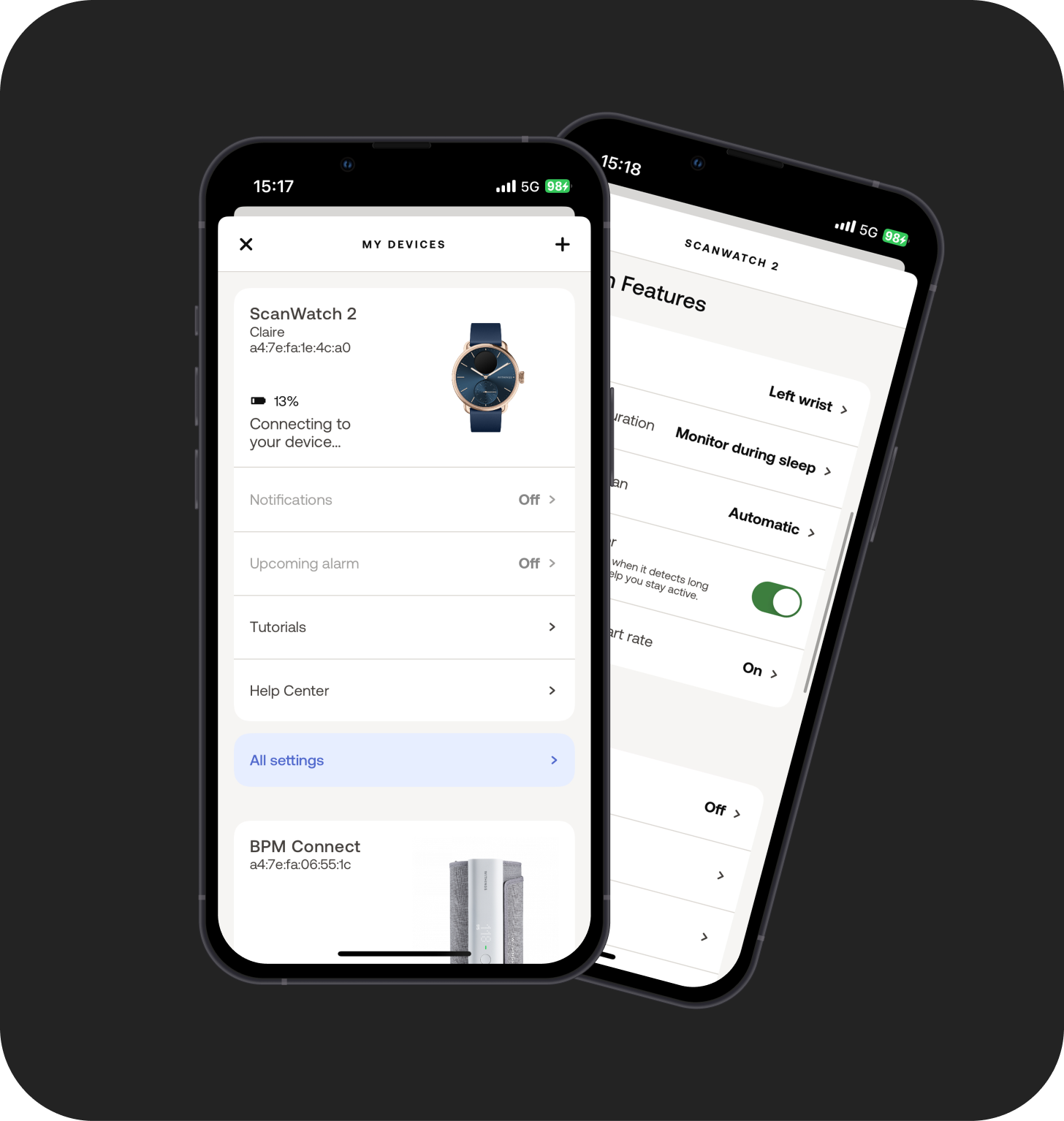
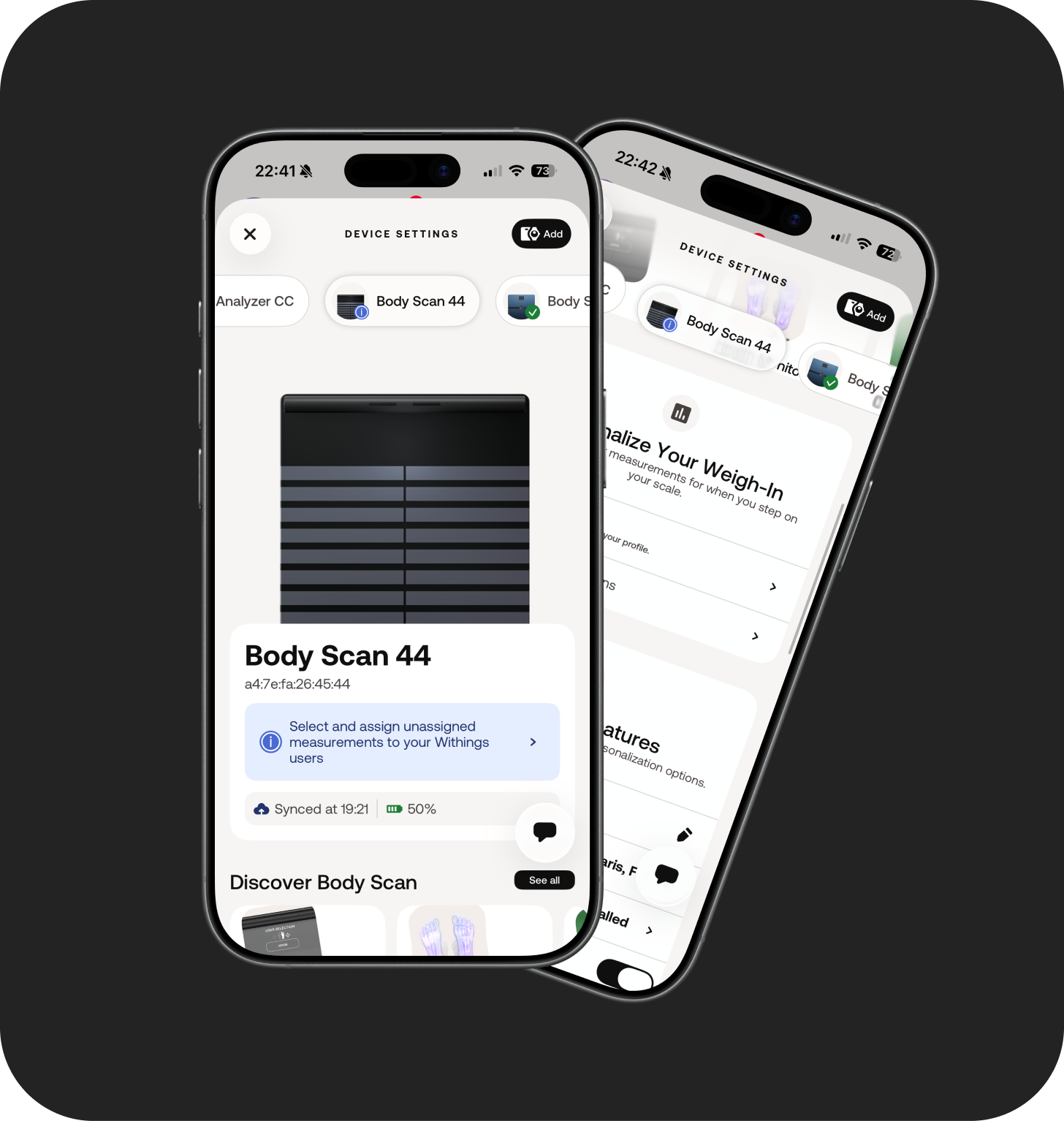
Before
After
Context & Constraints
Designing for Clarity Across Devices, Support, and Constraints
The challenge wasn’t adding features, it was making system state legible.
Context
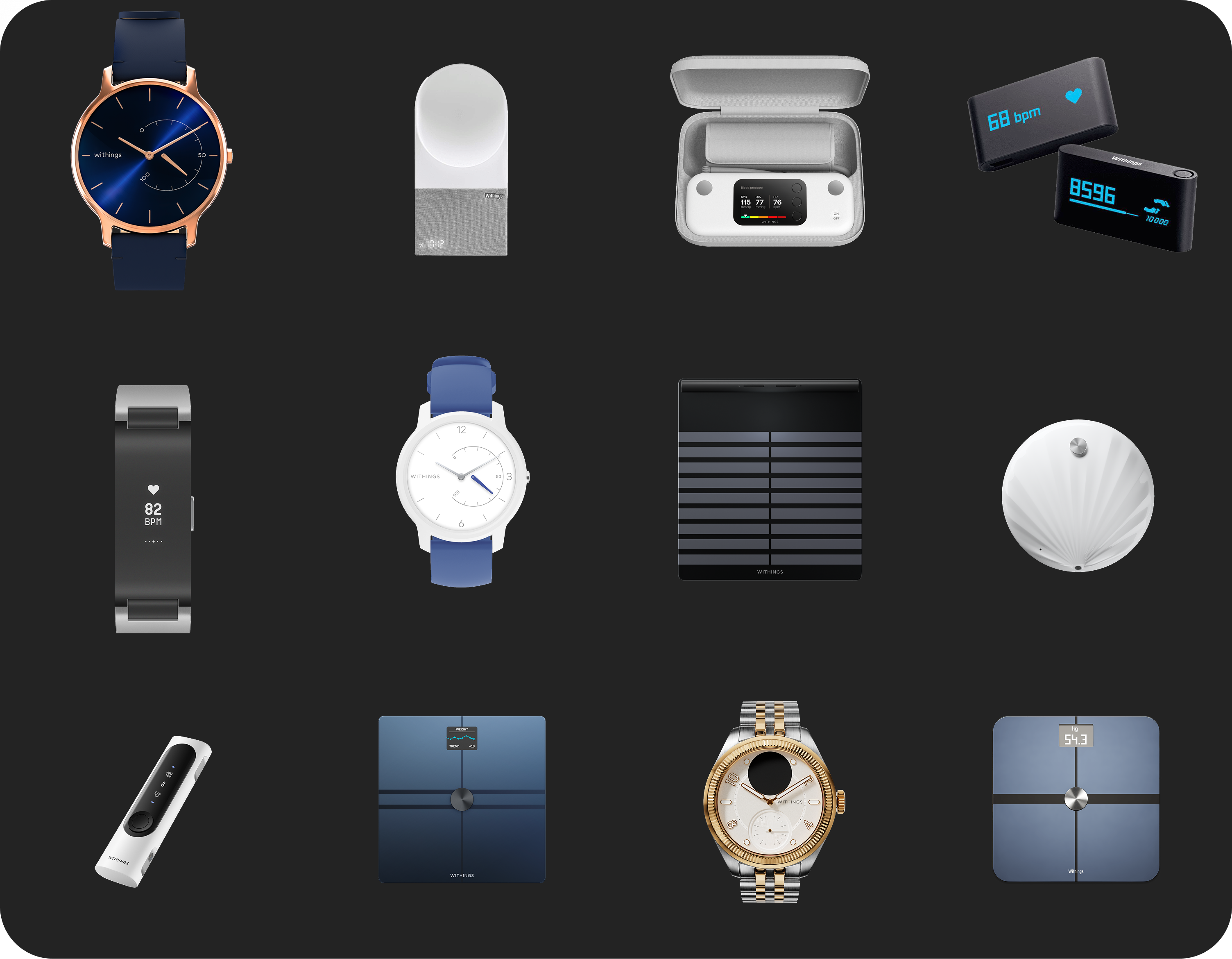
- Device Settings covered multiple device types and technical states
- Many support tickets were caused by UX confusion rather than hardware issues
- Support entry points lived outside the app, breaking the user flow
Constraints
- Existing device logic and system notifications were out of scope
- Rollout had to be incremental via beta roll out.
- Legal and privacy constraints limited what support data could be shared
Key Design Moves
Building a system for Recovery
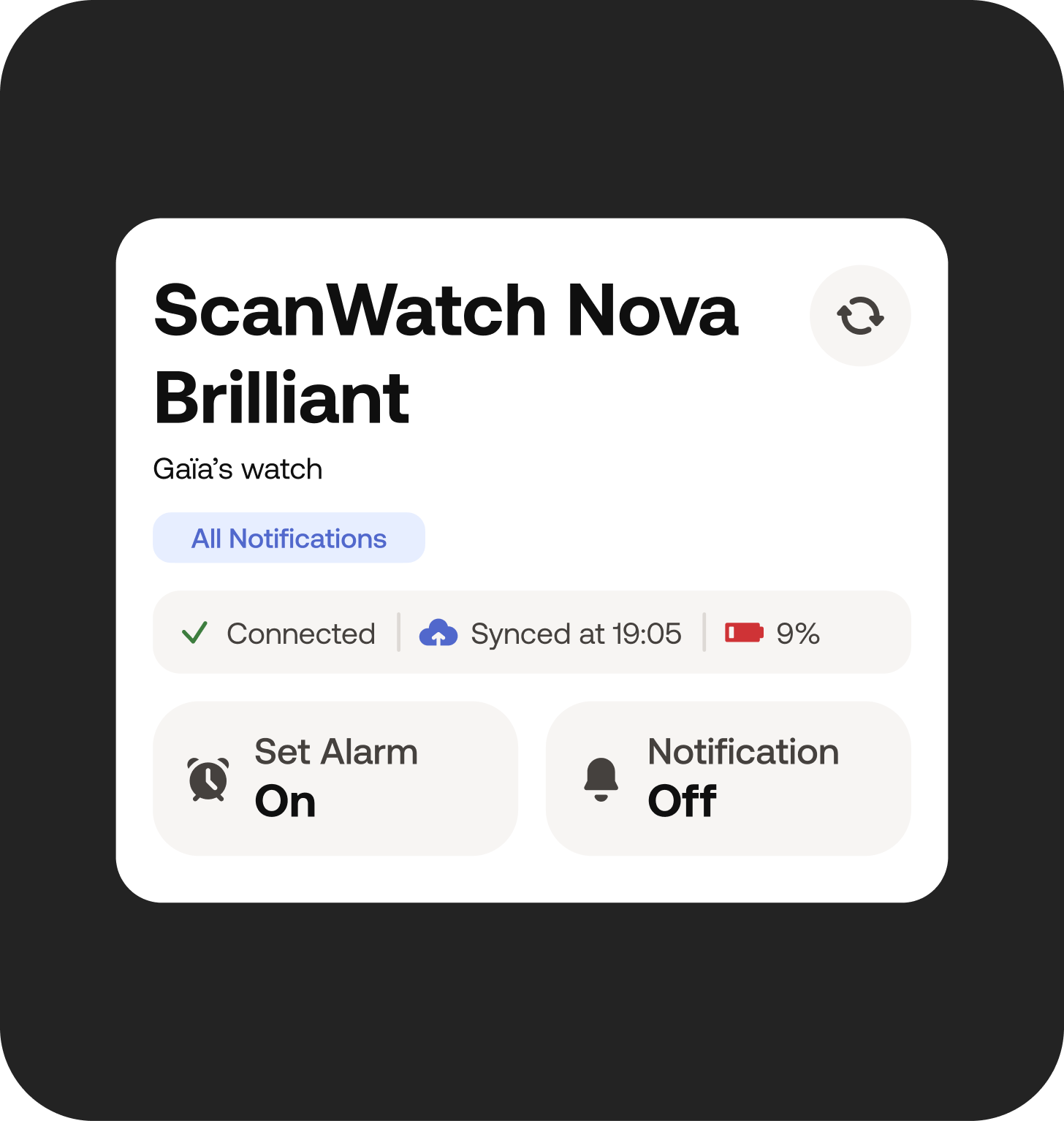
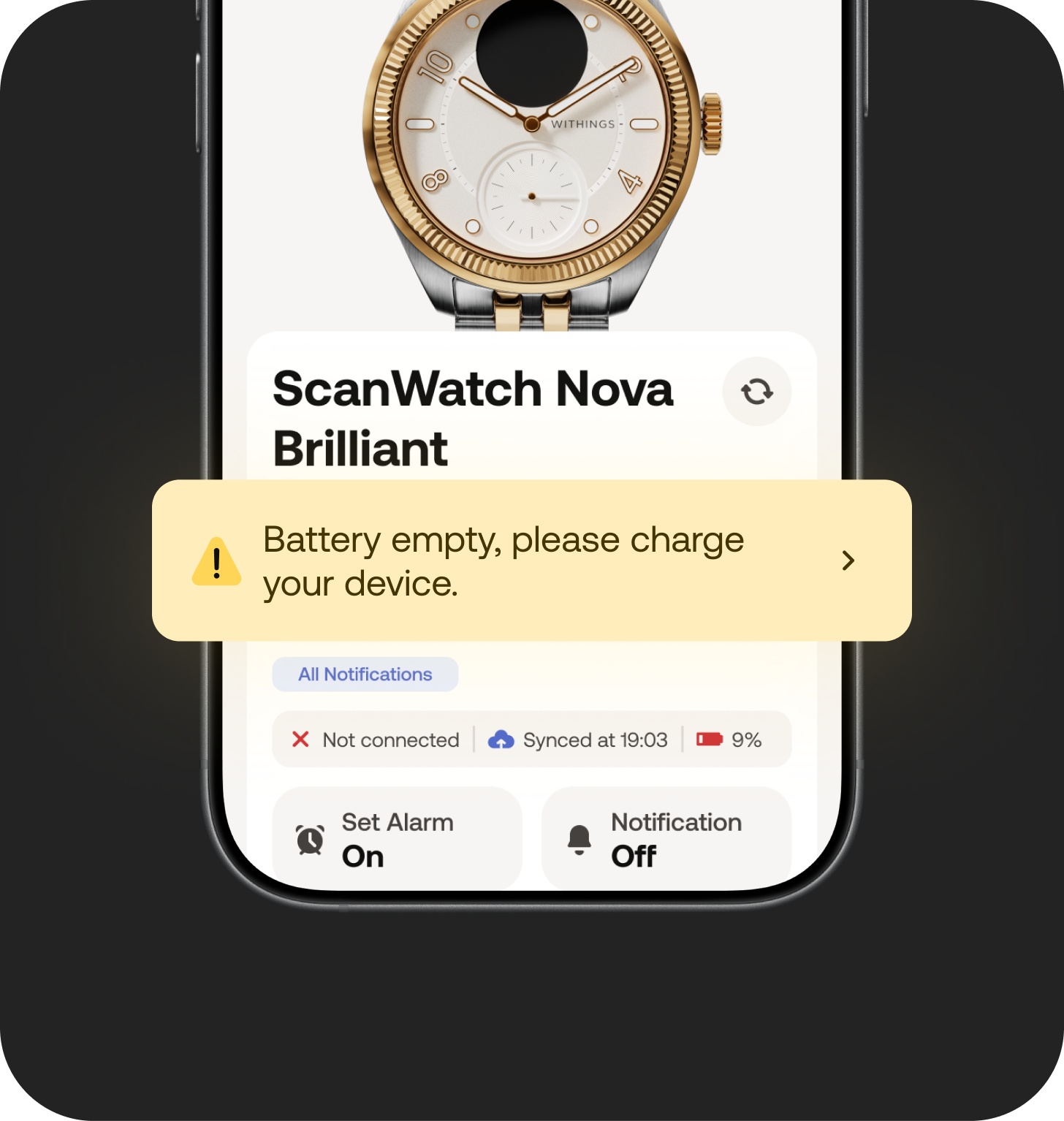
- Make device state explicit
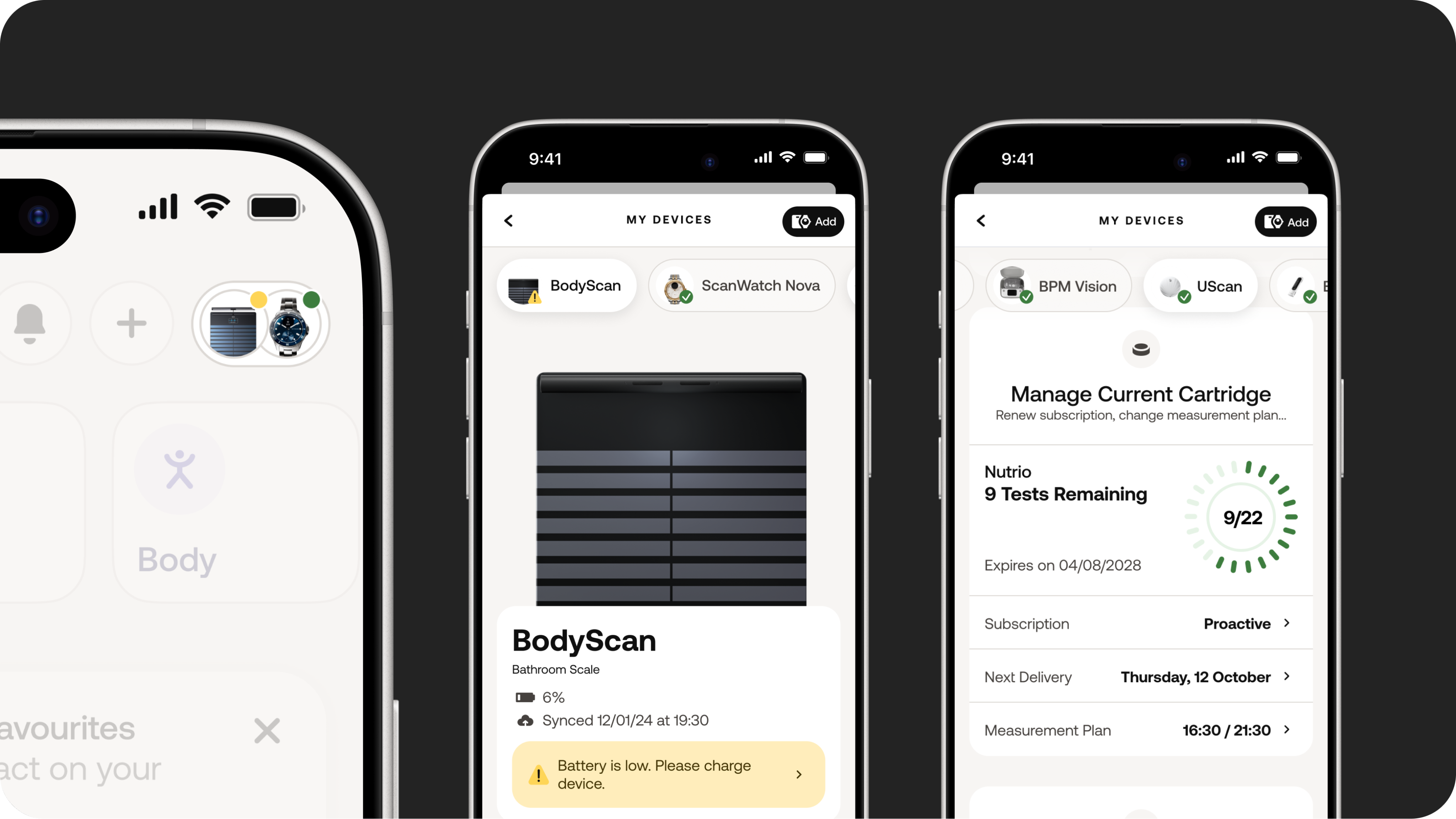
Surface battery, connectivity, last sync, and device health upfront so users can quickly answer: Is my device working? through device settings notifications.
- Design for recovery, not configuration
Add clear feedback, confirmations, and recovery actions (e.g. manual sync) to reduce uncertainty and anxiety.
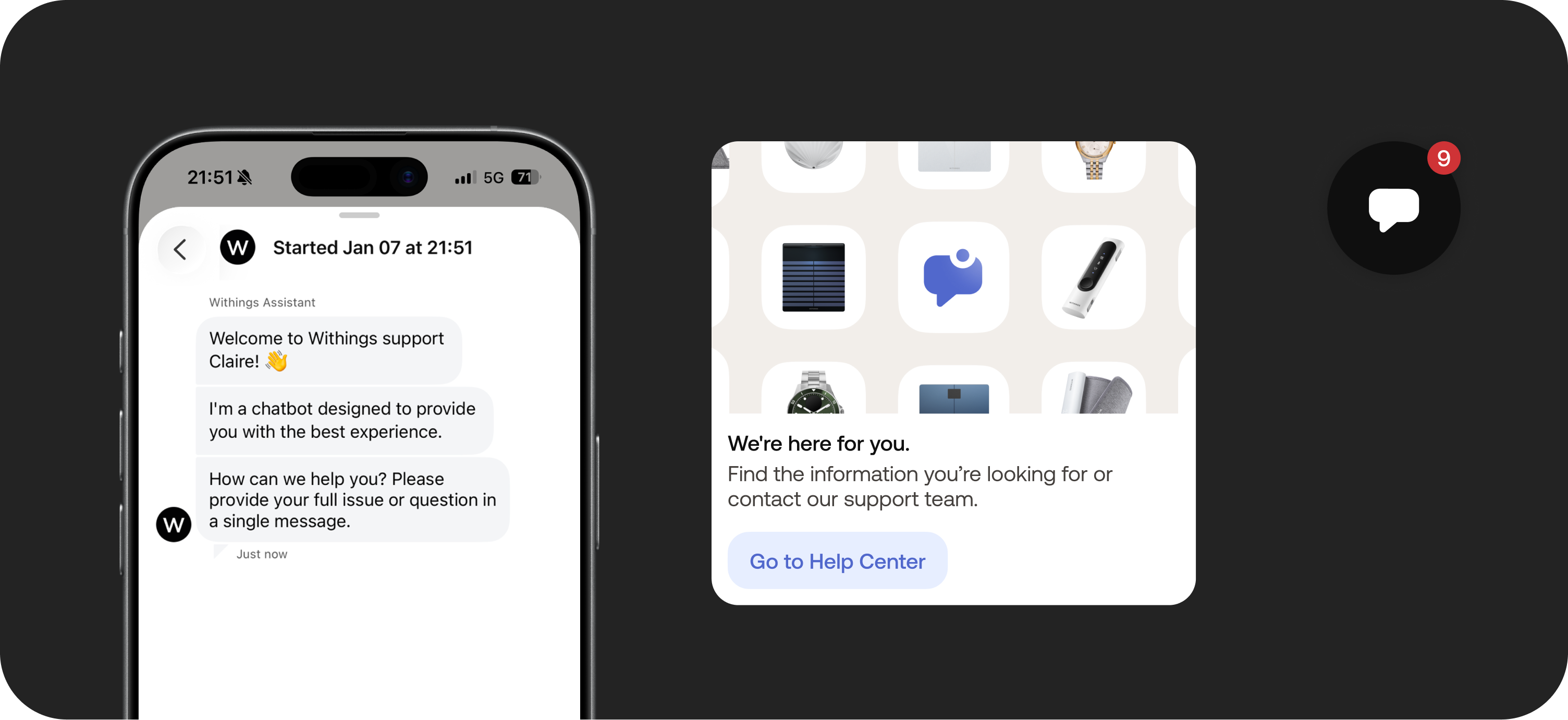
3. Bring support into the moment
Integrate Zendesk directly in the app as a contextual escalation path, instead of sending users to external help centers.
Outcome
Device issues are now clear and manageable, leading to a decrease in customer service tickets.
Post-revamp feedback showed:
Overall satisfaction and ease-of-use scores clustering around 4.5/5
Fewer “I’m lost” comments, more actionable feedback
Clearer separation between UX issues and real technical failures for Customer Support
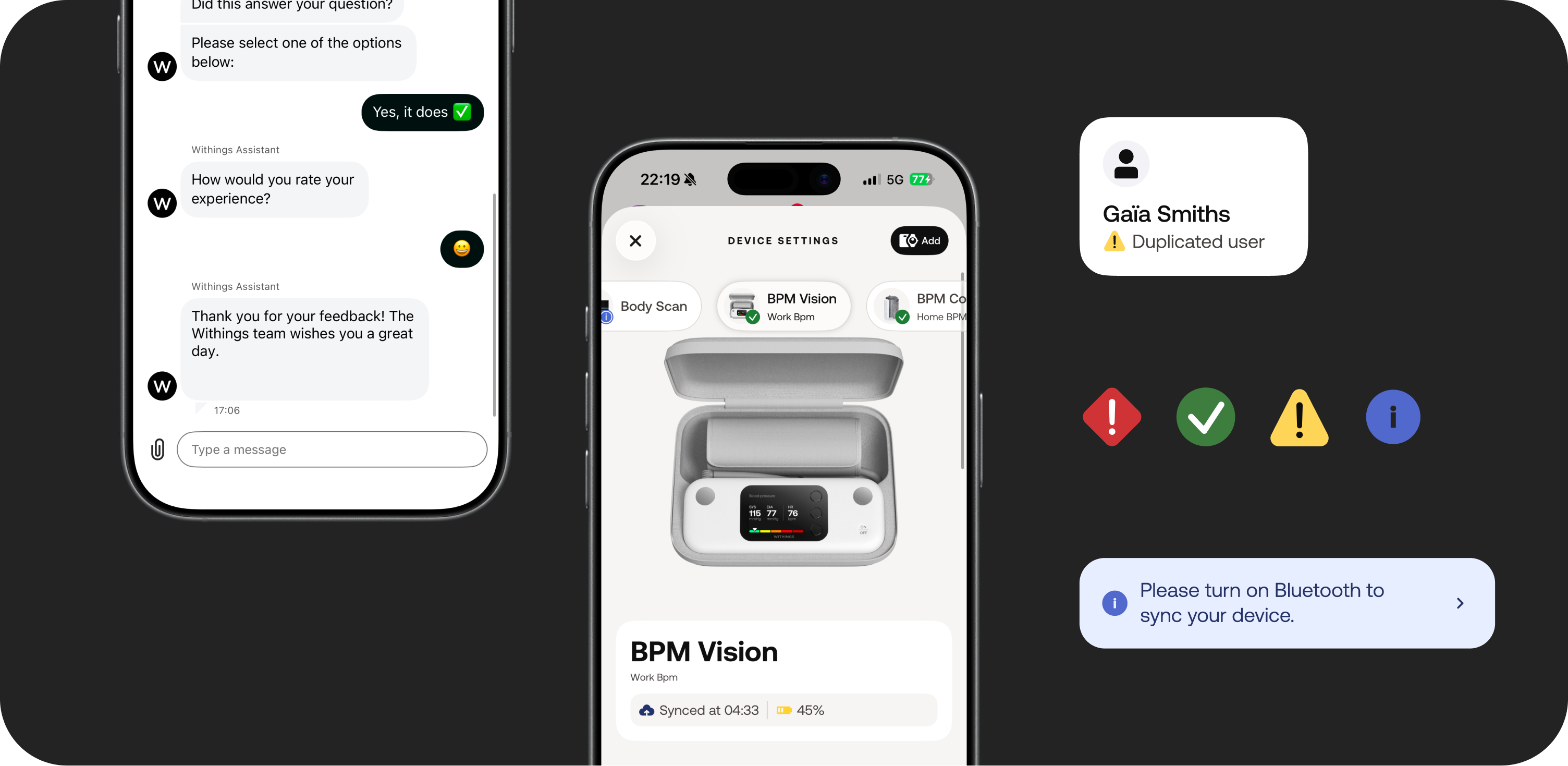
Beyond metrics, the biggest shift was conceptual: Device Settings became a support surface, not a dead end.
This project changed how Product and Customer Care collaborated, with support insights now feeding earlier into product decisions.
Claire Lecerf ⓒ 2026

Get In Touch
何韦葶
Device Settings & In-App Support Revamp: Turning device issues into recoverable moments
I led a redesign of the Device Settings experience to reduce user frustration when devices stop working and to shorten the path to help. As lead designer apart of the Customer Care team I reframed Device Settings from a configuration screen into a troubleshooting and recovery surface, including in-app support via Zendesk.
Scope
Device Settings, troubleshooting flows, in-app support (Zendesk)
Team
Product, Engineering, Customer Service
Overview
Many CS tickets are due to users misunderstanding device settings, not hardware issues.
When a connected device fails to sync or behaves unexpectedly, trust drops fast.
Before this project, users struggled to understand what was wrong with their device and had no clear next step inside the app.
Post survey data showed recurring friction around:
- finding device information
- understanding device status
- lack of feedback or confirmation after actions
(~150+ actionable UX comments collected)
This project focused on making failure states understandable, actionable, and recoverable.
Before
After
Context & Constraints
Designing for Clarity Across Devices, Support, and Constraints
The challenge wasn’t adding features, it was making system state legible.
Context
- Device Settings covered multiple device types and technical states
- Many support tickets were caused by UX confusion rather than hardware issues
- Support entry points lived outside the app, breaking the user flow
Constraints
- Existing device logic and system notifications were out of scope
- Rollout had to be incremental via beta roll out.
- Legal and privacy constraints limited what support data could be shared
Key Design Moves
Building a system for Recovery
- Make device state explicit
Surface battery, connectivity, last sync, and device health upfront so users can quickly answer: Is my device working? through device settings notifications.
- Design for recovery, not configuration
Add clear feedback, confirmations, and recovery actions (e.g. manual sync) to reduce uncertainty and anxiety.
3. Bring support into the moment
Integrate Zendesk directly in the app as a contextual escalation path, instead of sending users to external help centers.
Outcome
Device issues are now clear and manageable, leading to a decrease in customer service tickets.
Post-revamp feedback showed:
Overall satisfaction and ease-of-use scores clustering around 4.5/5
Fewer “I’m lost” comments, more actionable feedback
Clearer separation between UX issues and real technical failures for Customer Support
Beyond metrics, the biggest shift was conceptual: Device Settings became a support surface, not a dead end.
This project changed how Product and Customer Care collaborated, with support insights now feeding earlier into product decisions.
Claire Lecerf ⓒ 2026
Get In Touch
何韦葶

Device Settings & In-App Support Revamp: Turning device issues into recoverable moments
I led a redesign of the Device Settings experience to reduce user frustration when devices stop working and to shorten the path to help. As lead designer apart of the Customer Care team I reframed Device Settings from a configuration screen into a troubleshooting and recovery surface, including in-app support via Zendesk.
Scope
Device Settings, troubleshooting flows, in-app support (Zendesk)
Team
Product, Engineering, Customer Service
Overview
Many CS tickets are due to users misunderstanding device settings, not hardware issues.
When a connected device fails to sync or behaves unexpectedly, trust drops fast.
Before this project, users struggled to understand what was wrong with their device and had no clear next step inside the app.
Post survey data showed recurring friction around:
- finding device information
- understanding device status
- lack of feedback or confirmation after actions
(~150+ actionable UX comments collected)
This project focused on making failure states understandable, actionable, and recoverable.
Before
After
Context & Constraints
Designing for Clarity Across Devices, Support, and Constraints
The challenge wasn’t adding features, it was making system state legible.
Context
- Device Settings covered multiple device types and technical states
- Many support tickets were caused by UX confusion rather than hardware issues
- Support entry points lived outside the app, breaking the user flow
Constraints
- Existing device logic and system notifications were out of scope
- Rollout had to be incremental via beta roll out.
- Legal and privacy constraints limited what support data could be shared
Key Design Moves
Building a system for Recovery
- Make device state explicit
Surface battery, connectivity, last sync, and device health upfront so users can quickly answer: Is my device working? through device settings notifications.
- Design for recovery, not configuration
Add clear feedback, confirmations, and recovery actions (e.g. manual sync) to reduce uncertainty and anxiety.
3. Bring support into the moment
Integrate Zendesk directly in the app as a contextual escalation path, instead of sending users to external help centers.
Outcome
Device issues are now clear and manageable, leading to a decrease in customer service tickets.
Post-revamp feedback showed:
Overall satisfaction and ease-of-use scores clustering around 4.5/5
Fewer “I’m lost” comments, more actionable feedback
Clearer separation between UX issues and real technical failures for Customer Support
Beyond metrics, the biggest shift was conceptual: Device Settings became a support surface, not a dead end.
This project changed how Product and Customer Care collaborated, with support insights now feeding earlier into product decisions.
Claire Lecerf ⓒ 2026
Get In Touch